There are two ways where users can convert the sleepover shifts to Active shifts;
Option 1 -->
Where resource user can request the amendment from the Sygnal mobile in the clock-out process. Then the request will be available for the approver user to amend on the resource amendment & client amendment view. Upon the amendment, the resource billing and client billing amendment values will be taken to the report generation.
Original Shift Contains a Sleepover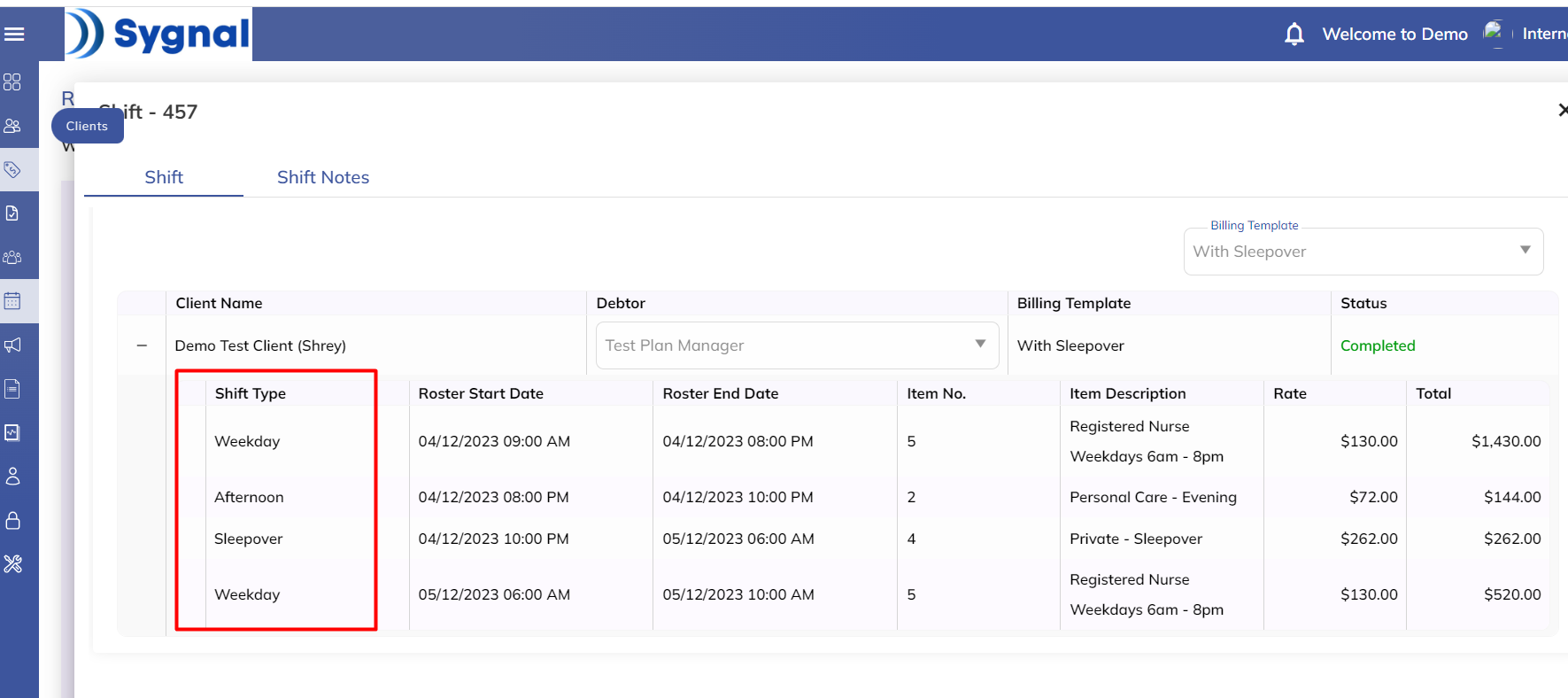 The user requests the shift amendment from the mobile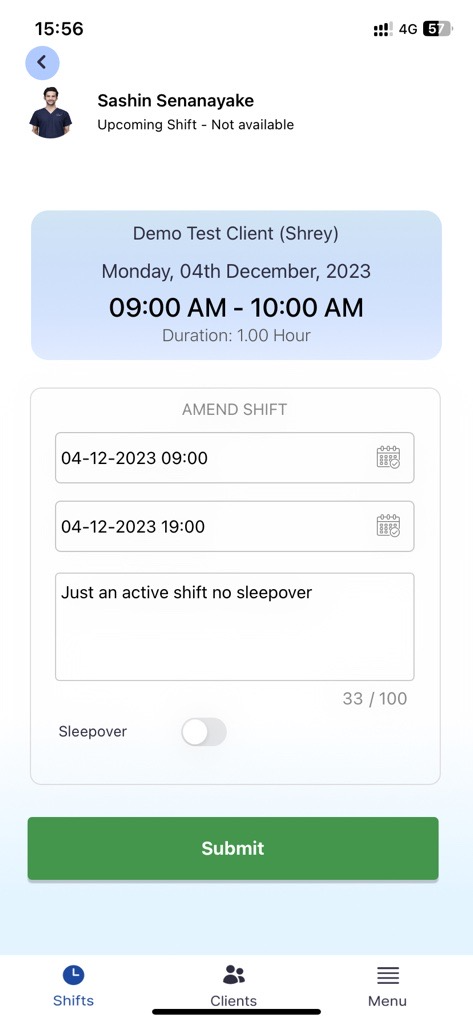
Amend the Actuals from the resource amendment view
Amend and approve the Payroll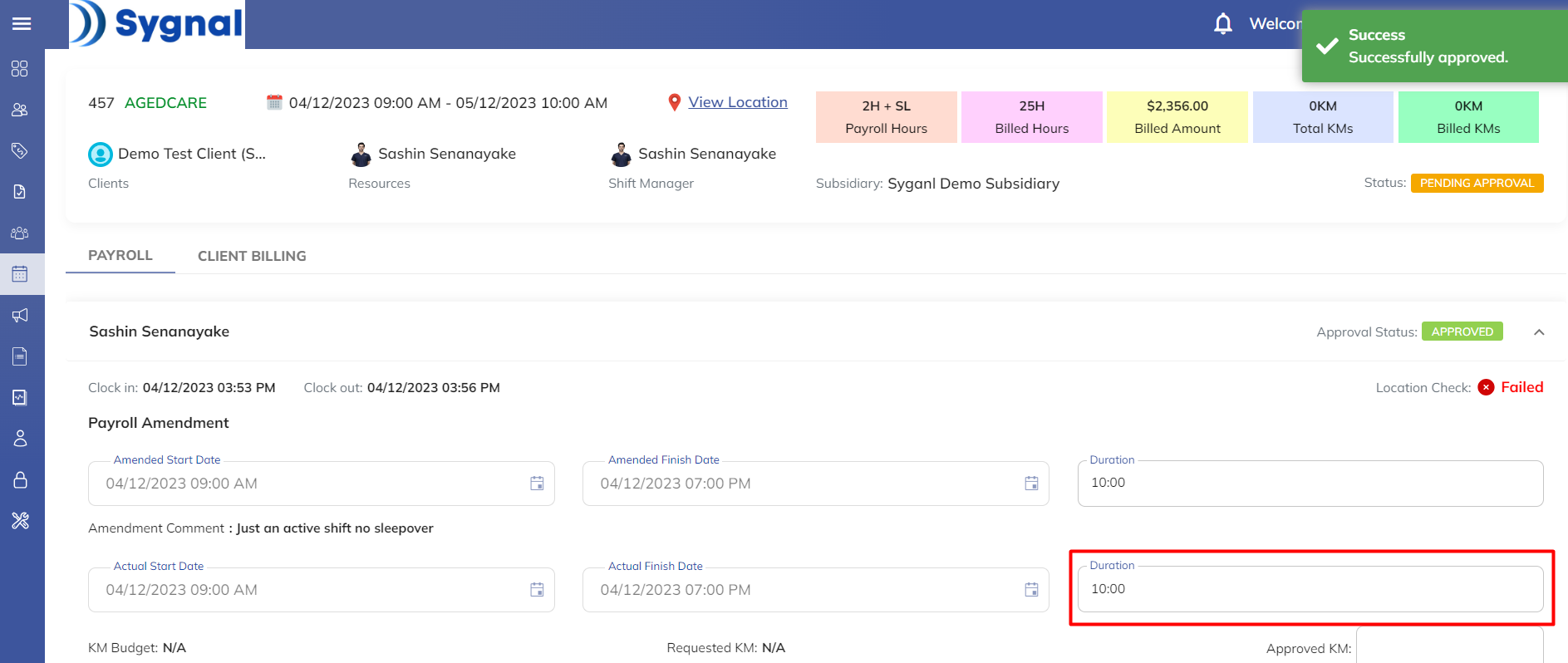
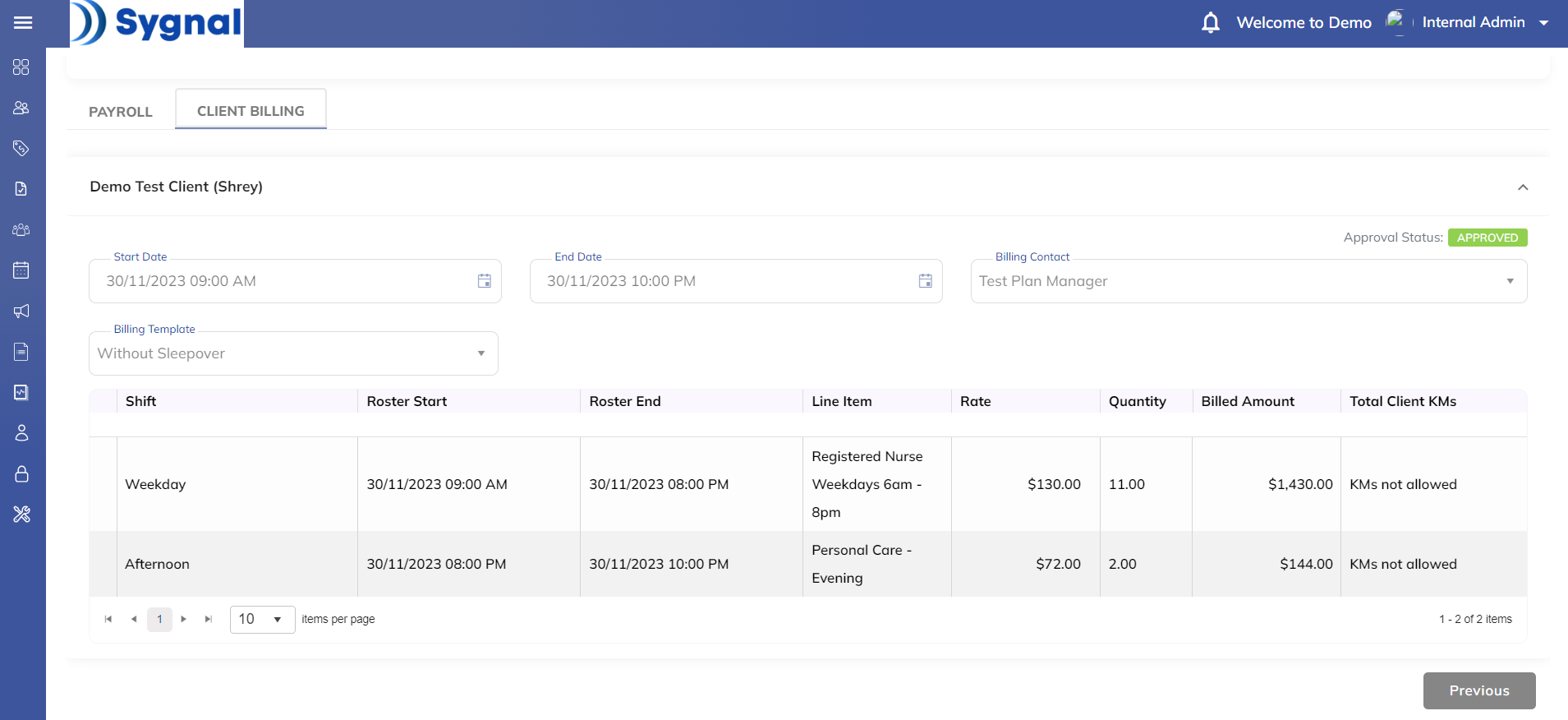
Amend the client billing and Approve the whole shift
Option 2-->
Where resource user clocks out without any amendments and the approver user amends on both the resource amendment & client amendment view. Upon the amendment, the resource billing and client billing amendment values will be taken to the report generation.
Original Shift Contains a Sleepover
Amend the Actuals from the resource amendment view
Amend and approve the Payroll
Amend the client billing and Approve the whole shift
'
Reports pick the Amended values while exporting